
Form EmbeddingFramer
Slideover
Embed a Surface Form slideover
This feature requires paid tier of framer!
Create Surface Constructor
- In Framer, go to project
settings. - Scroll down to
Custom Codesection.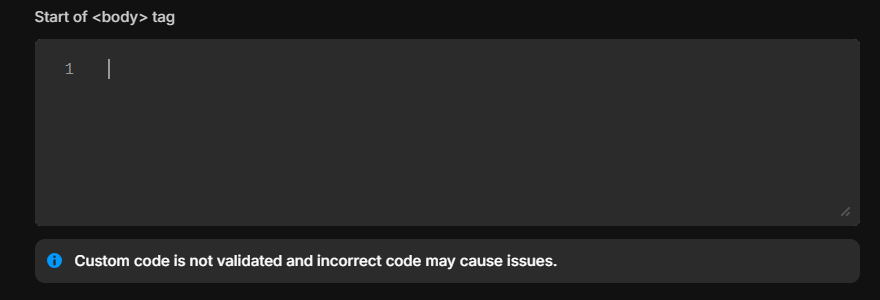
Add the following code in the End of <body> tag section.
    <!-- Start Surface Form Embed -->
    <script>
        (function() {
            const surface_src = "REPLACE ME WITH FORM URL"
            const surface_embed_type = "slideover"
            const target_element_class = "surface-form-button"
            const c = new SurfaceEmbed(surface_src, surface_embed_type, target_element_class)
        })();
    </script>
    <!-- End of Surface Form Embed -->
Add className to the target element
Select the button or element where you want to trigger the form. Open the properties of the element and scroll down to Code Overrides section.
- Click on
New FileunderFileselection menu. Name itSurfaceFormButton.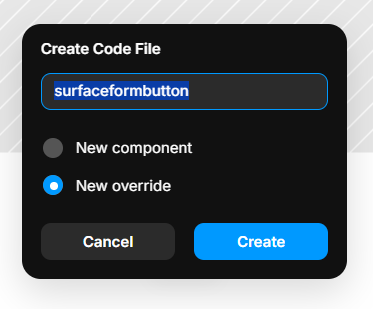
- Rename the file and click on
Create. - In the code editor, go to the very bottom, add a new line, and paste the following code:
export function withClass(Component): ComponentType { return (props) => { props.className += " surface-form-button" // Remember to add a space return <Component {...props} /> } } - Now go back to the element, In
Fileselection menu, selectSurfaceFormButtonin the first dropdown and selectwithClassfrom theOverrideselection menu.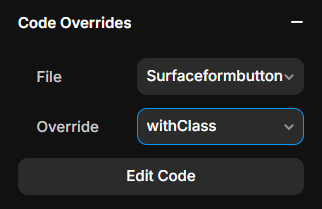
Publish the site
Publish the site and that's it! You have successfully embedded a Surface Form in your Framer project.