
Form EmbeddingWebflow
Slideover
Embed a Surface Form slideover
1. Create Surface Constructor
Go to the Webflow dashboard > Project Section > Select Custom Code and add the following custom code into the footer code section.
<!-- Start Surface Form Embed -->

<script>
  (function () {
     const surface_src = "REPLACE ME WITH FORM URL";
     const surface_embed_type = "slideover";
     const target_element_class = "surface-form-button";
     const c = new SurfaceEmbed(
       surface_src,
       surface_embed_type,
       target_element_class,
     );
   })();
</script>

<!-- End Surface Form Embed -->
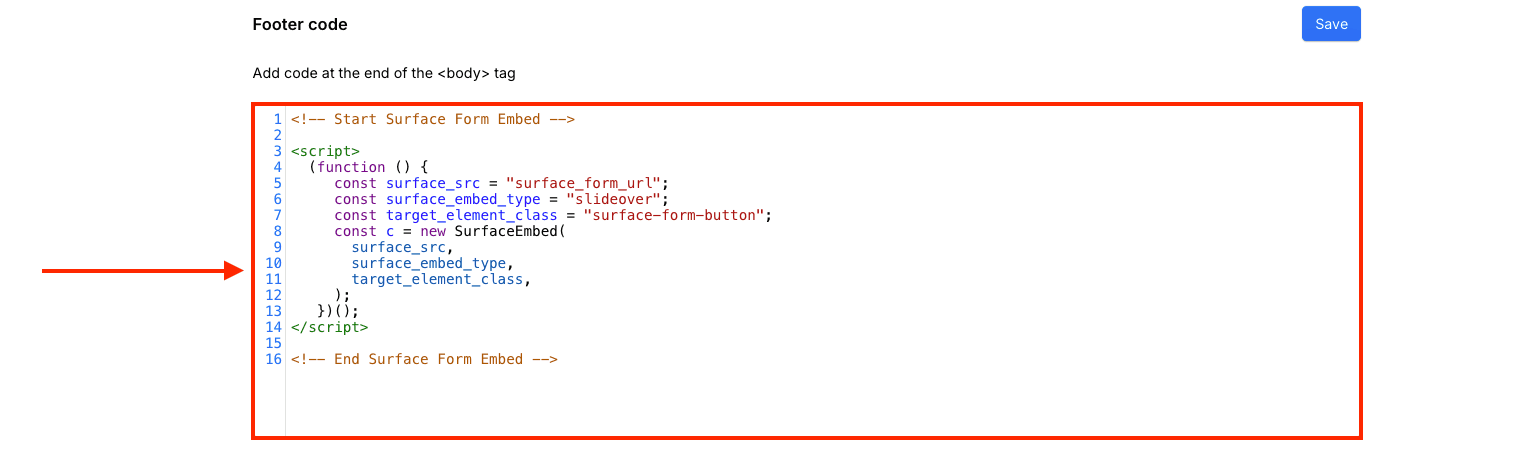
This is what your script should look like:
2. Configure Form Trigger Button
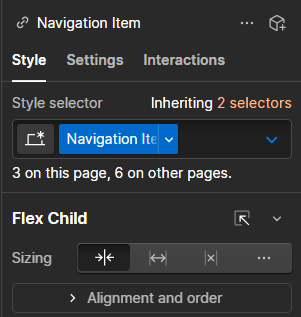
Next, navigate to your Webflow Design Studio and select the button that triggers the form. After Selecting the button, you should see Style tab on your right panel.
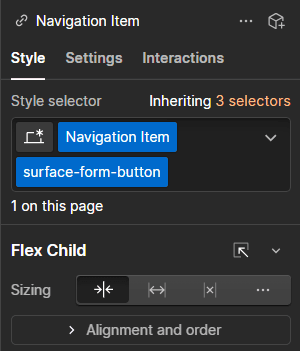
Finally, add surface-form-button in Style Selector:
Finally, save and publish your changes. Your Surface Form should now be embedded on your Webflow website!