Form EmbeddingUnbounce
Email Input Field Trigger
Triggering via email input field submission
1. Add HTML form in Unbounce
Add Custom HTML component to your Unbounce page:
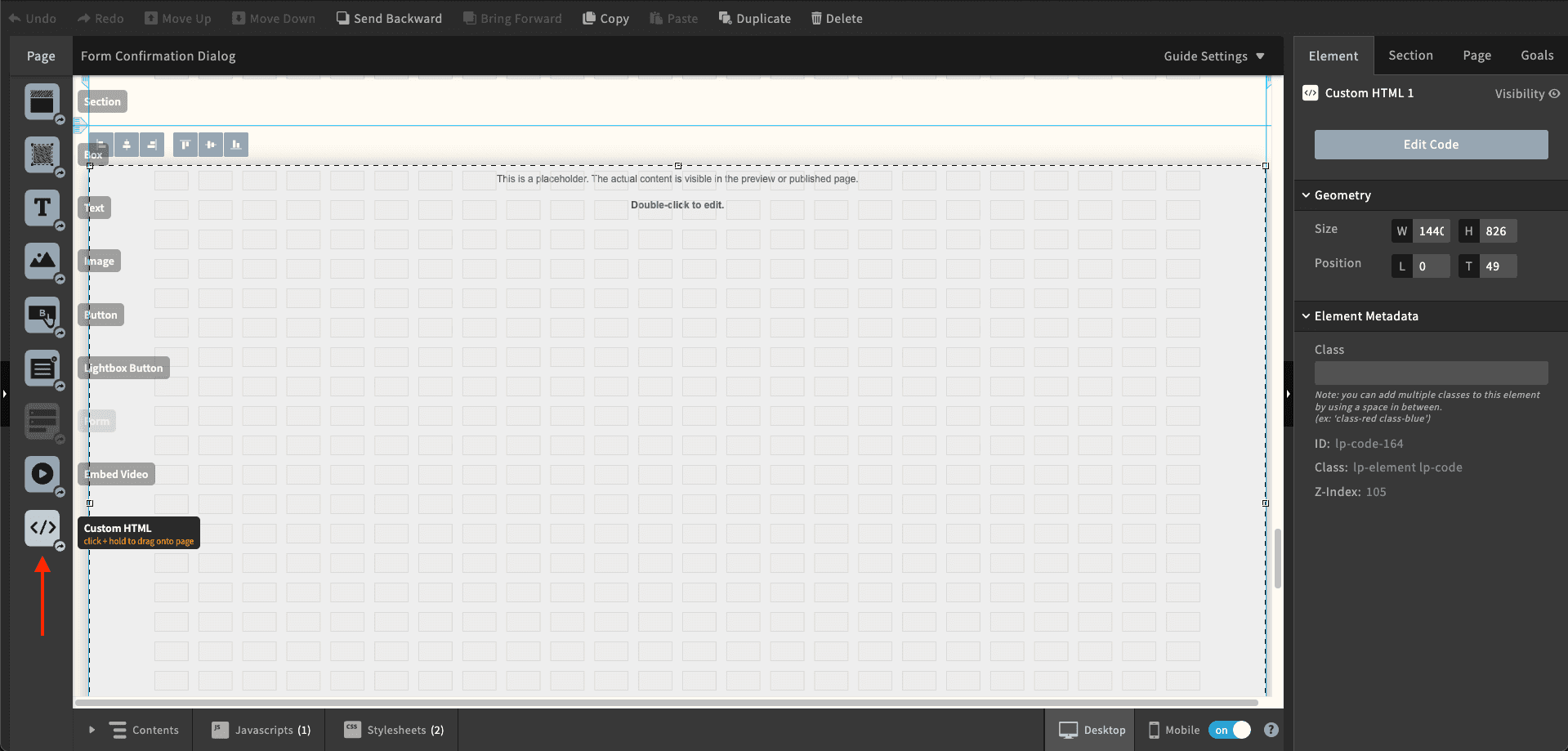
Add the following code to the Custom HTML component:
<form class="surface-form-handler">
  <input type="email" placeholder="Enter your email" required />
  <button type="submit">Submit</button>
</form>
2. Surface Form Constructor
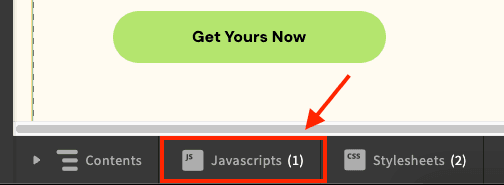
- In the bottom toolbar, click the "JavaScript" button
- Click "Add New JavaScript"
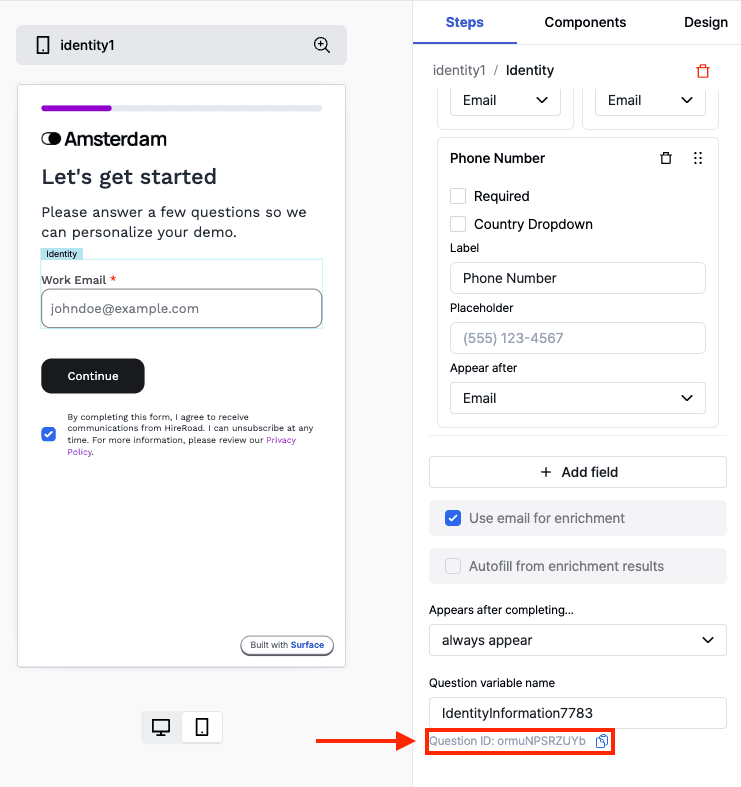
- Replace the
<question_id>with the question ID from the Surface Form Builder
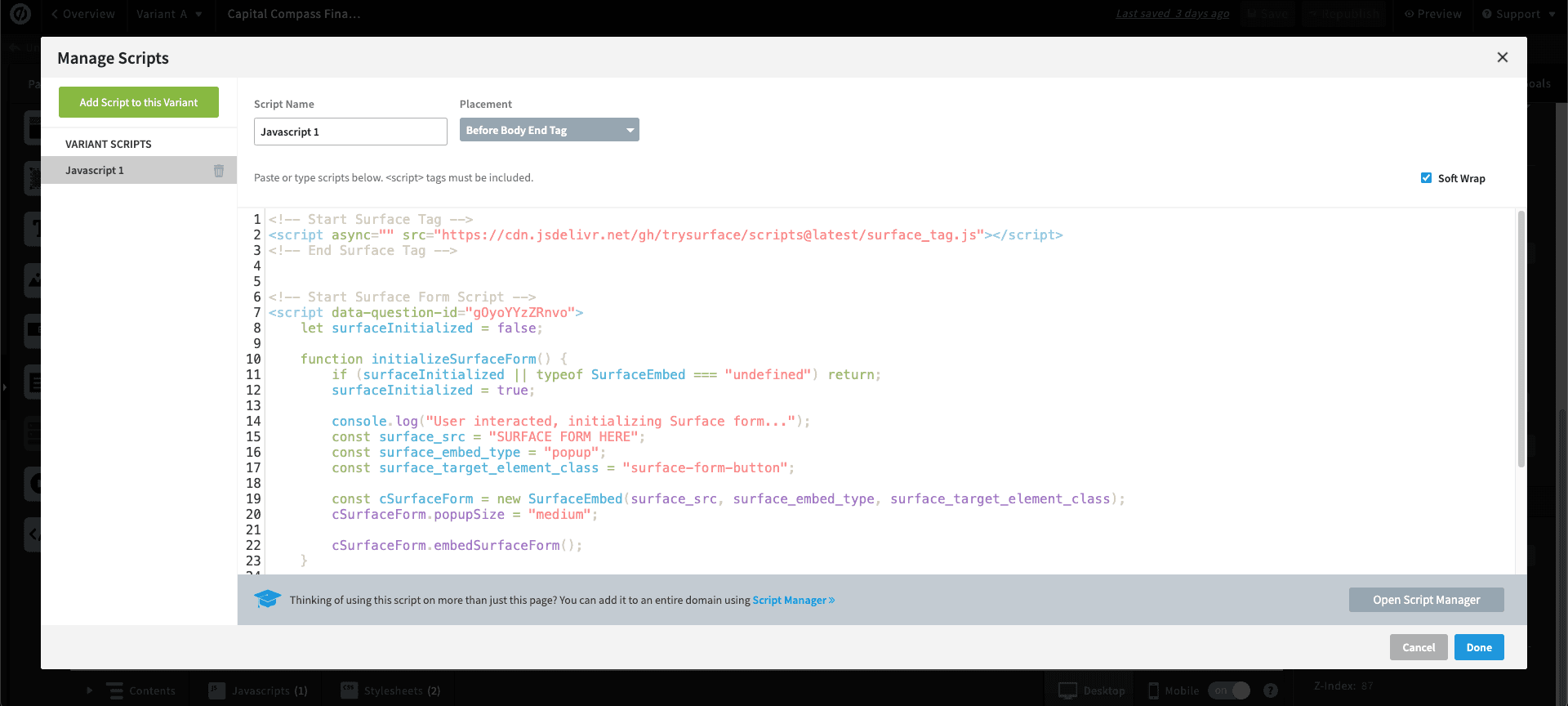
- Add the following script:
<!-- Start Surface Form Embed -->
<script data-question-id="<question_id>">
    let surfaceInitialized = false;

    function initializeSurfaceForm() {
        if (surfaceInitialized || typeof SurfaceEmbed === "undefined") return;
        surfaceInitialized = true;

        const surface_src = "REPLACE ME WITH FORM URL"; // Replace with your Surface form URL
        const surface_embed_type = "popup";
        const surface_target_element_class = "surface-form-button";

        const cSurfaceForm = new SurfaceEmbed(surface_src, surface_embed_type, surface_target_element_class);
        cSurfaceForm.popupSize = "medium"; // "small", "medium", "large"
    }

    // Run initializeSurfaceForm only when user interacts
    document.addEventListener("click", initializeSurfaceForm, { once: true });
    document.addEventListener("scroll", initializeSurfaceForm, { once: true });
</script>
<!-- End Surface Form Embed -->- Make sure to replace the
REPLACE ME WITH FORM URLwith your Surface form URL - Set the script placement to "Before the body Tag"
- Click "Done" to save the changes
This is what your script should look like: