
Lead Data Layer
One current record per buyer: identity, company, behaviour, source, score and outcome, read by every campaign, agent and integration.
The Lead Data Layer is one record per person. Scoring, routing and campaigns read it, and the agents that work a lead write back to it rather than into a tool of their own.
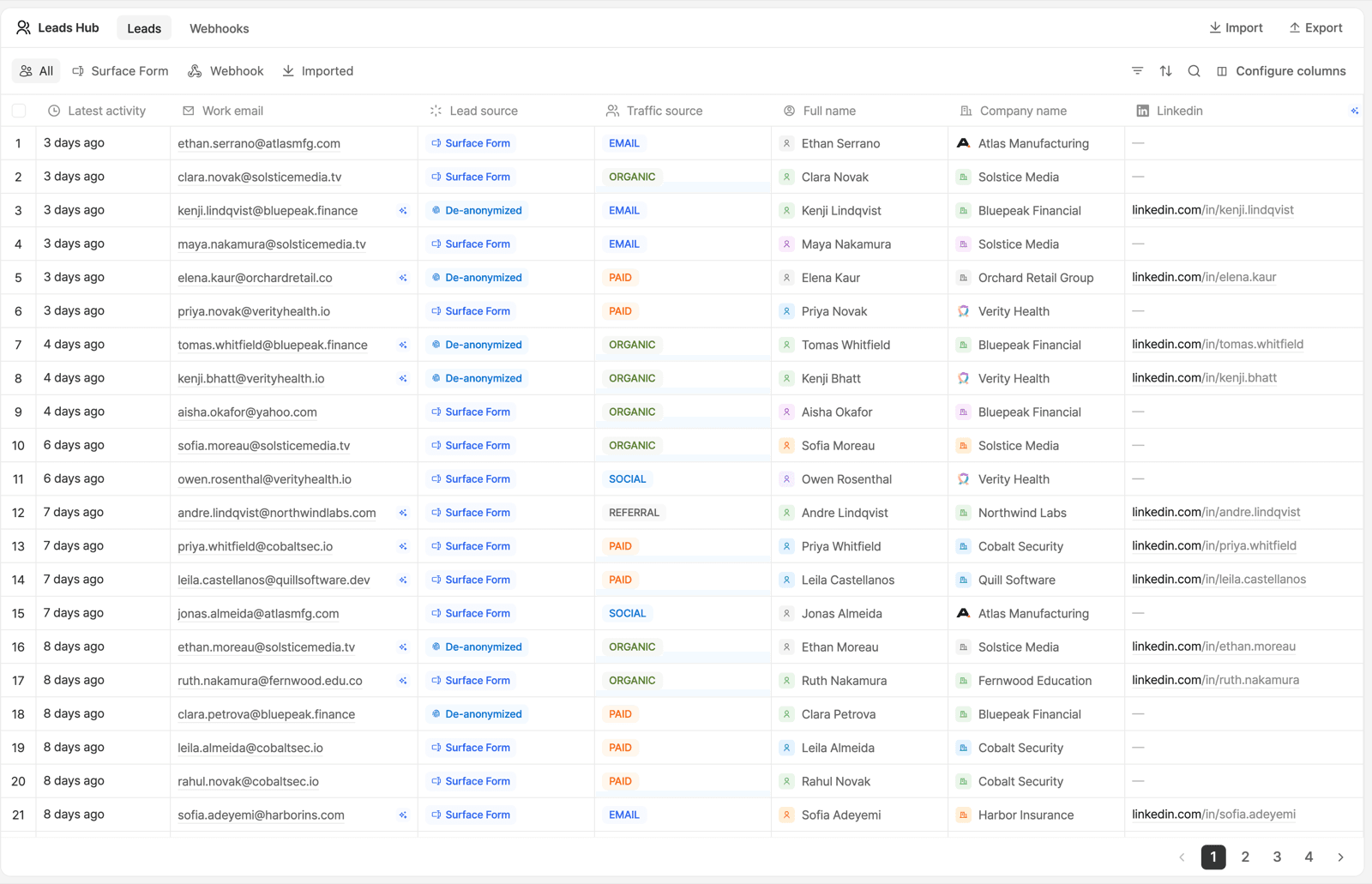
What a Lead Record Holds
| Group | Fields |
|---|---|
| Identity | First and last name, work email, job title, LinkedIn, phone |
| Company | Company name, industry, employee count, annual revenue |
| Behaviour | Sessions, scroll depth, website activity, forms viewed and started, partial answers, email engagement |
| Source | Surface form, external HTML form, webhook, import |
| Journey | Traffic source (organic, paid, email, social, referral), landing page |
| Judgement | AI lead score, intent, latest_signal |
| Outcome | Meeting status, plus deal data from a connected CRM |
Without the outcome fields, you cannot tell whether a score is any good.
Columns are configurable, so what the leads table shows you is a subset of what the record holds.
How a Record Is Built
Capture the signal
A visit, a form interaction, a campaign response or a webhook. Partial form answers count.
Resolve the person and the company
Identity plus firmographics merged onto one record, not appended as a second row. → Enrichment
Qualify
Fit against your ICP plus observed intent produce the lead score. → Lead Agents
Activate
Segments, routing, CRM writes and campaign audiences all read the same record. → Segments
Compare
Meetings and CRM outcomes land on the same record, so you can check what scored well against what actually booked.
Leads and Responses Are Different Things
- A response is one submission of one form. Completion rate, drop-off and field-level analytics are about responses. → Responses
- A lead is one person, and can have many responses. Pipeline, routing, scoring and segments are about leads.
Working with It
| Task | Where |
|---|---|
| Filter, search, sort and export | The Leads table in the app |
| Build a live audience | Segments |
| Define who counts as a fit | ICP |
| See what created the lead | Lead sources |
| Read or import over MCP | list_leads, get_leads_count, import_leads, in the tool reference |
| Keep the CRM in step | System Agents |
get_leads_count with bySource: true or byEventType: true splits the count
by origin and by funnel stage. Fastest check that capture works.
Ready to Get Started?
See it on your own site, or open the app and build the first form.