
Enable Cloudflare Turnstile
Enable Cloudflare Turnstile and add the widget to your Surface form to block spam and abuse.
Step 1: Navigate to Cloudflare Turnstile
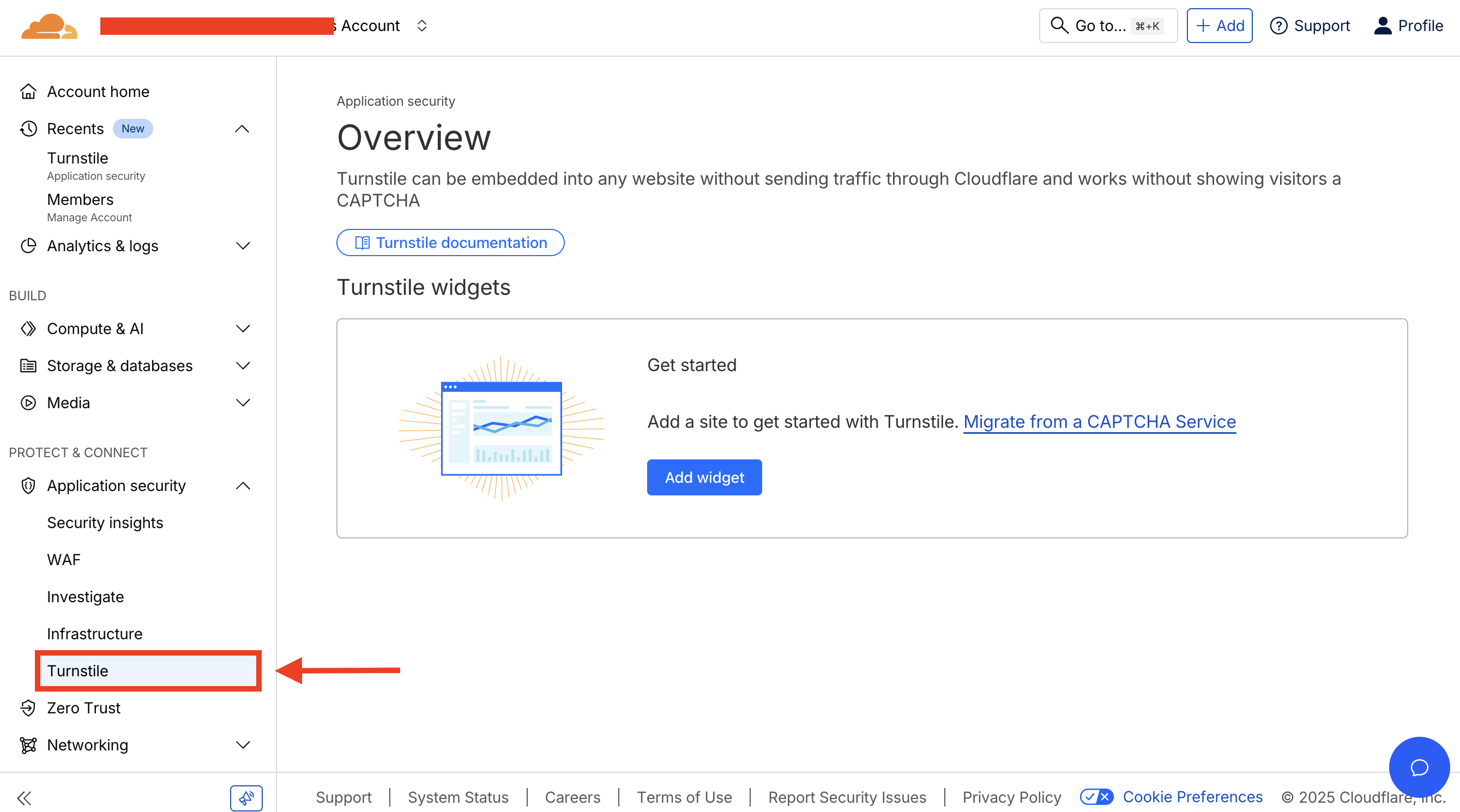
- Login to Cloudflare Dashboard
- Navigate to Protect & Connect > Application security > Turnstile
Step 2: Add New Widget
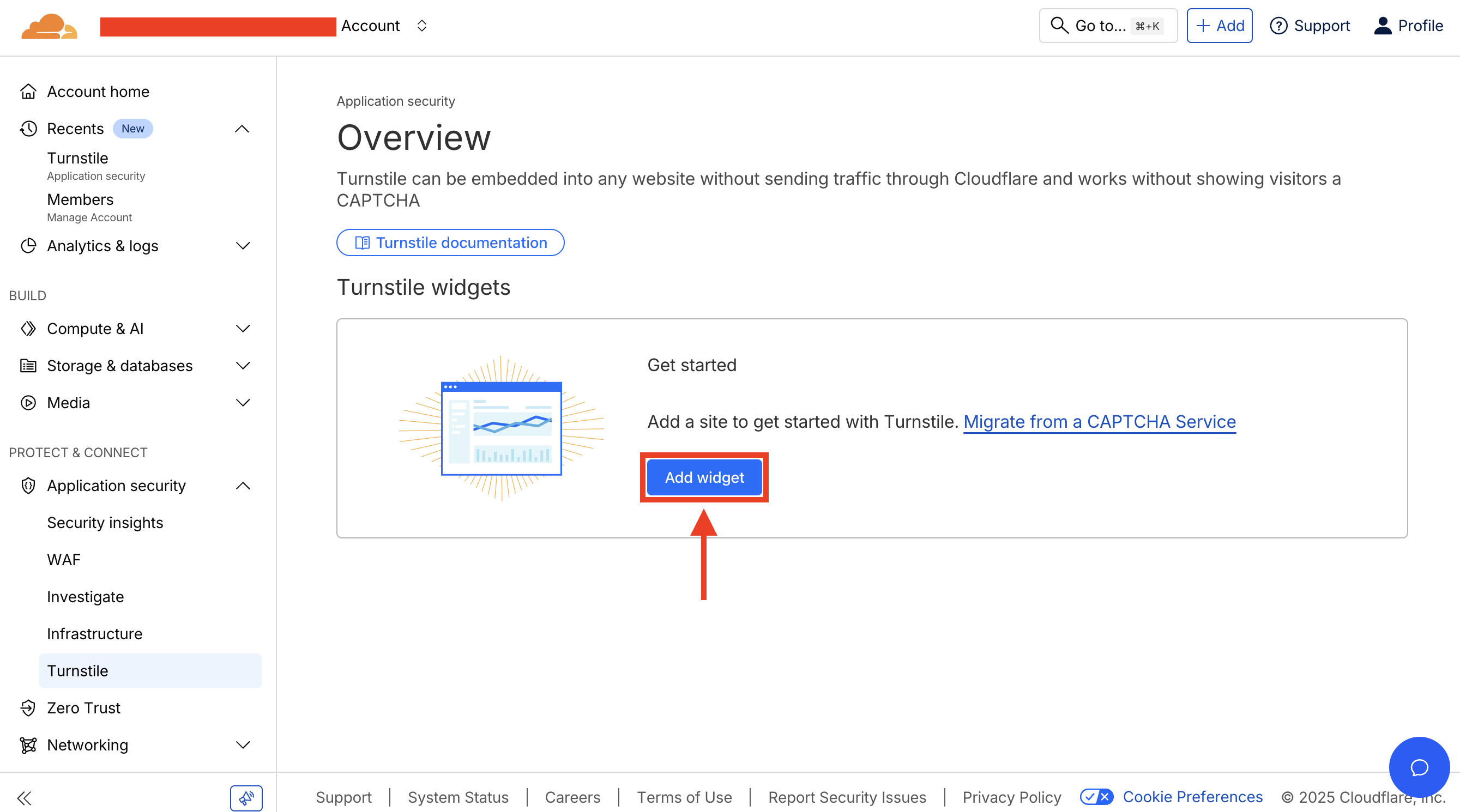
Click on Add new widget to create a new Turnstile widget.
Step 3: Configure Widget Settings
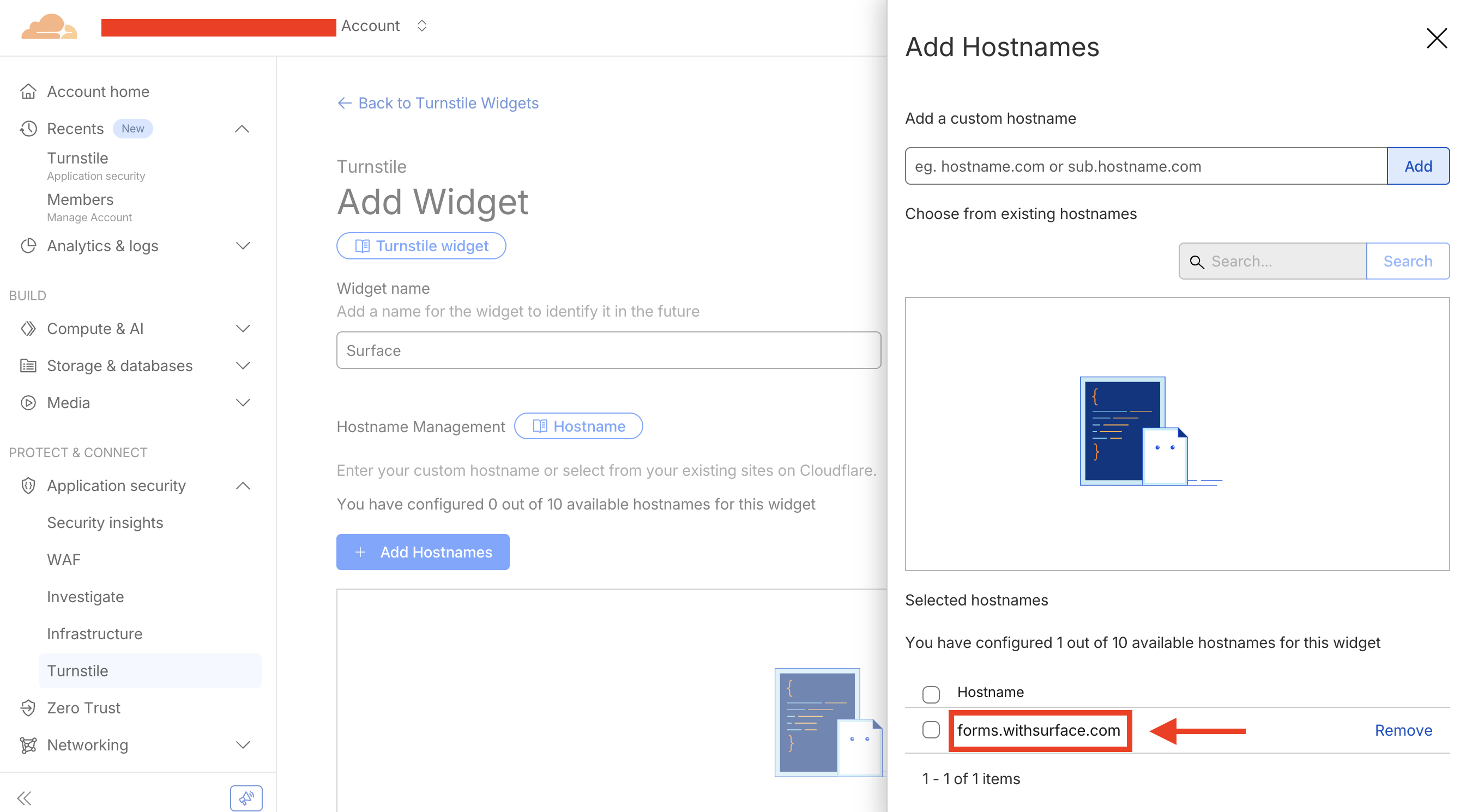
- Set up the widget configurations
- In the Hostnames field, add
forms.withsurface.comor the verified custom domain used by your form - Click
Addbutton to add the host
Step 4: Create Widget and Copy Keys
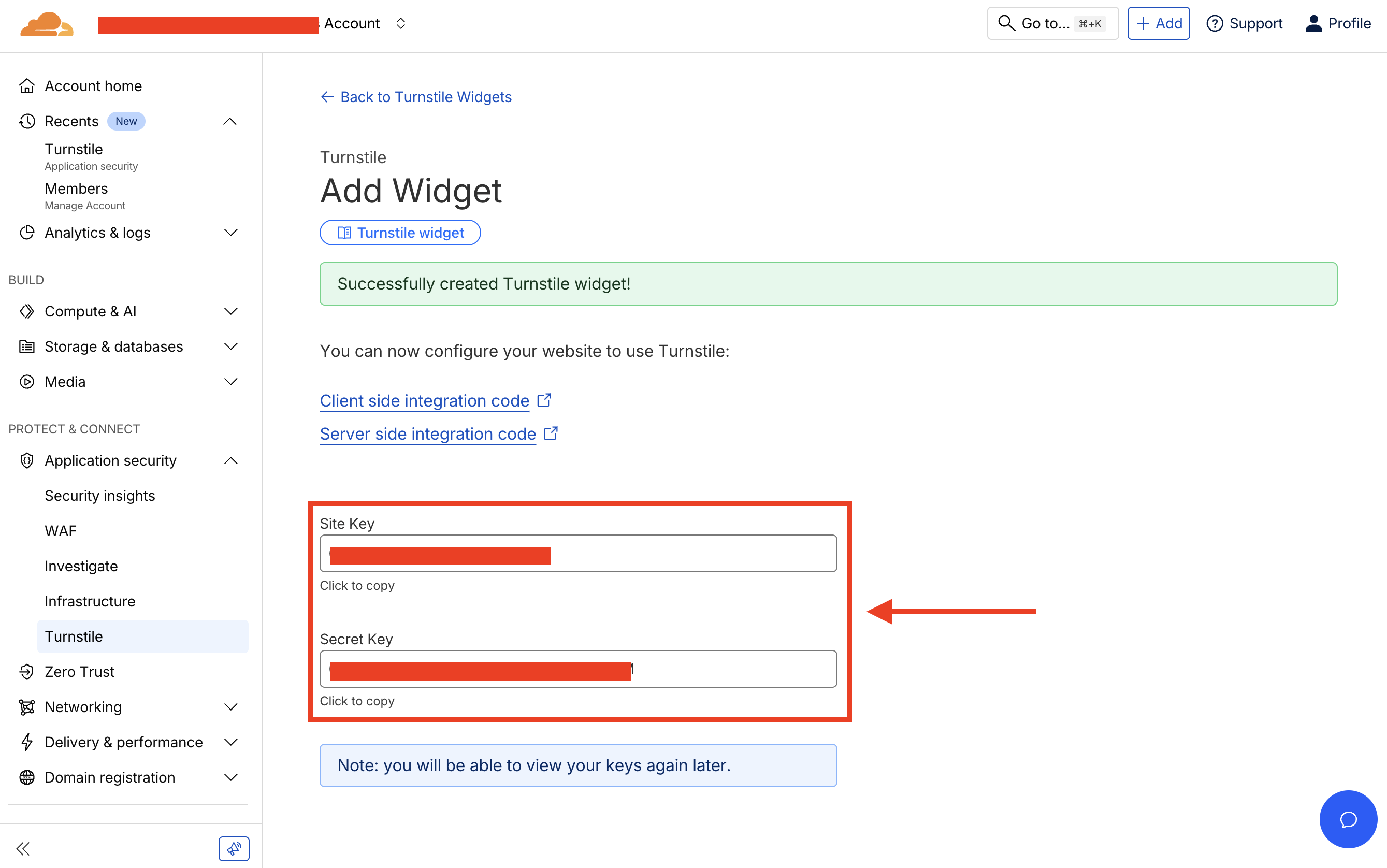
- Click Create to create the widget
- After creating the widget, copy the Site Key and Secret Key
Step 5: Configure Turnstile in Surface Form Settings
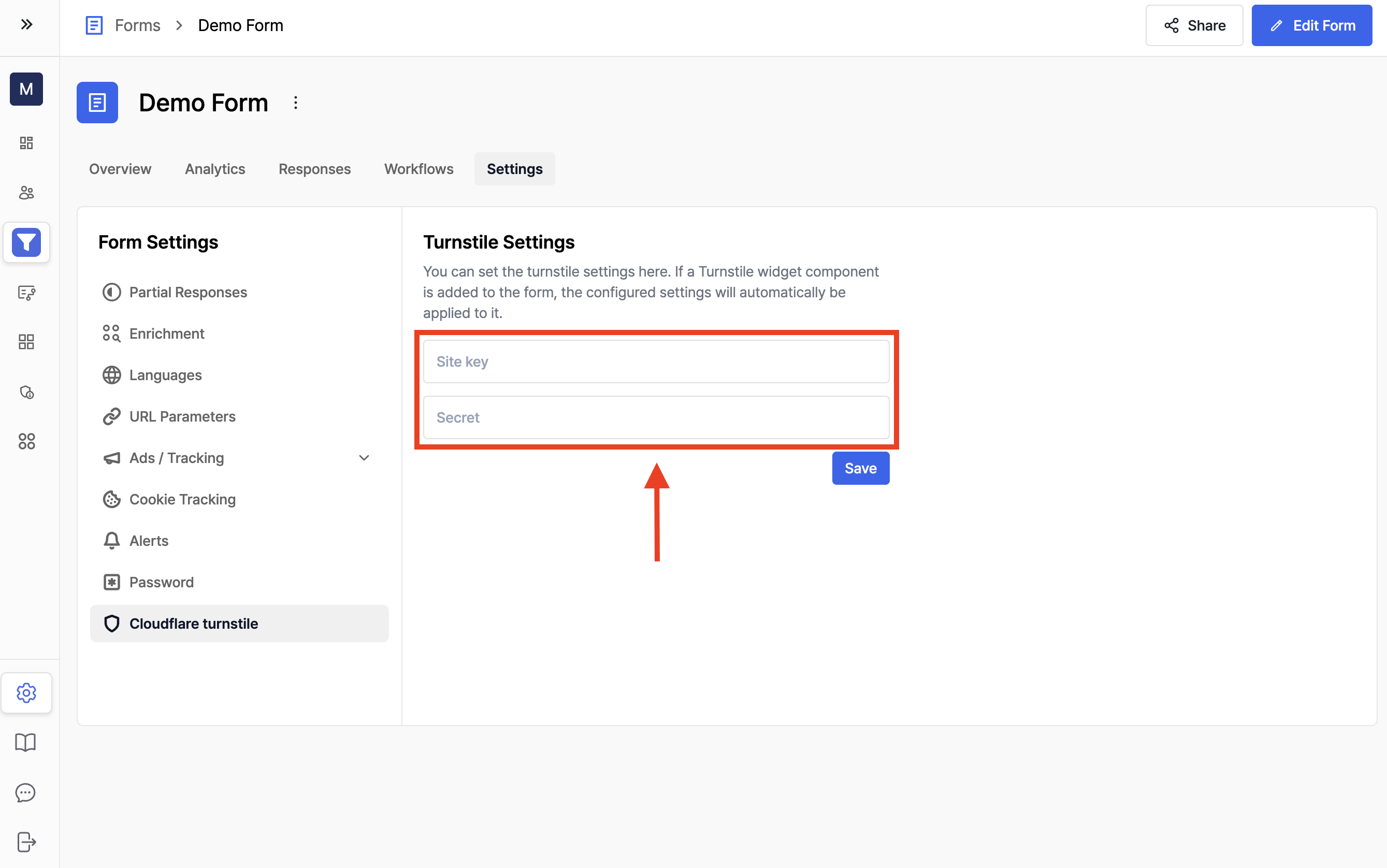
- Navigate to your Surface Form settings page
- Go to Cloudflare Turnstile section
- Paste the Site Key and Secret Key that you copied in Step 4
- Click Save to save the settings
Step 6: Add Turnstile Widget to Your Form
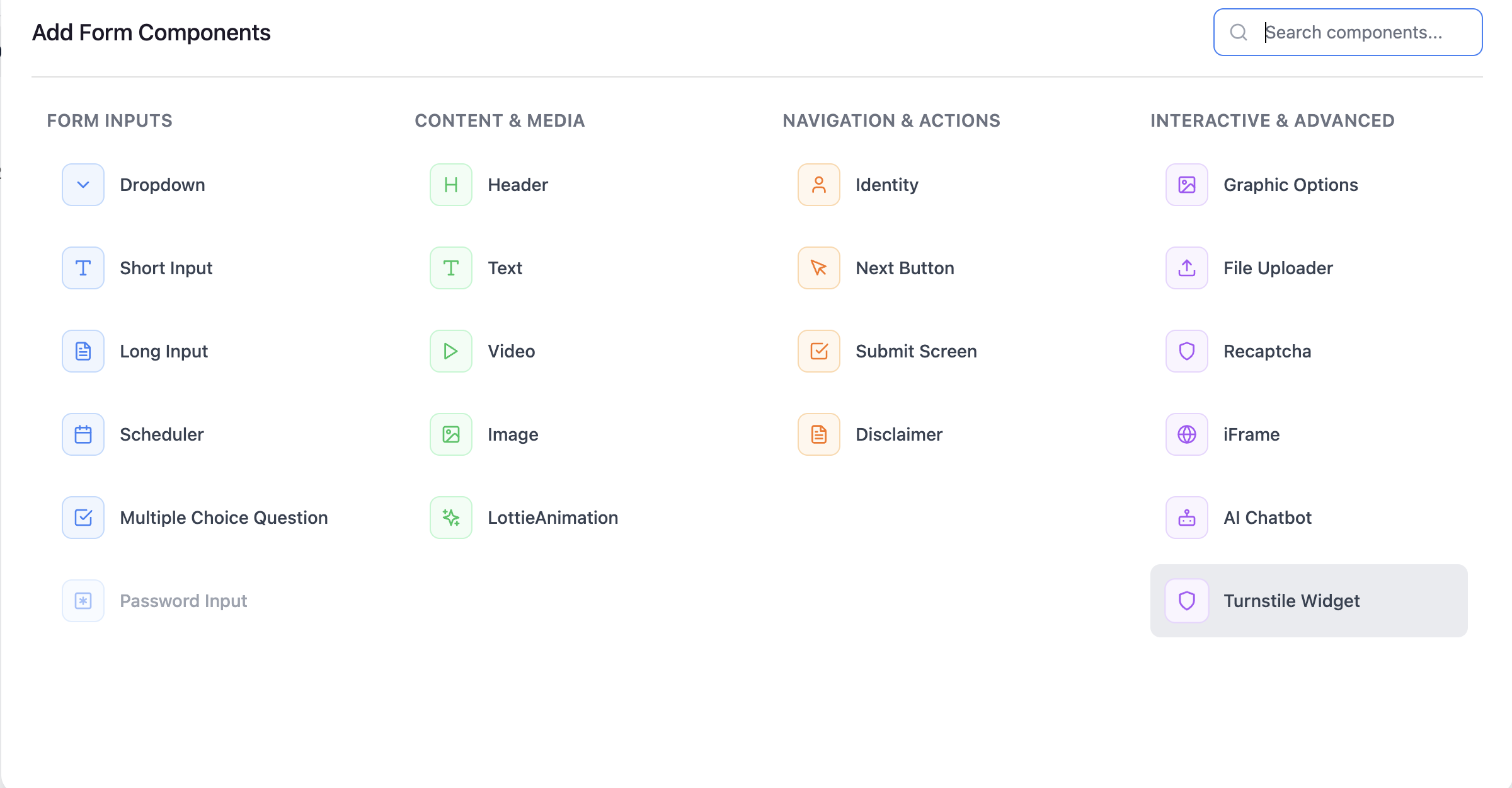
- In the Form Builder, navigate to the step where you want to add the Turnstile widget
- Click + Add component or Copy existing component
- Select the Turnstile widget component from the component list
- The widget now appears in your form and is checked when someone submits it
Ready to Get Started?
See it on your own site, or open the app and build the first form.