
Workflows
Salesforce
Connect your forms with Salesforce to automatically create contacts and opportunities
Surface Forms integrates with Salesforce to automatically create and update contacts, opportunities, and other objects from your form submissions.
Integration Steps
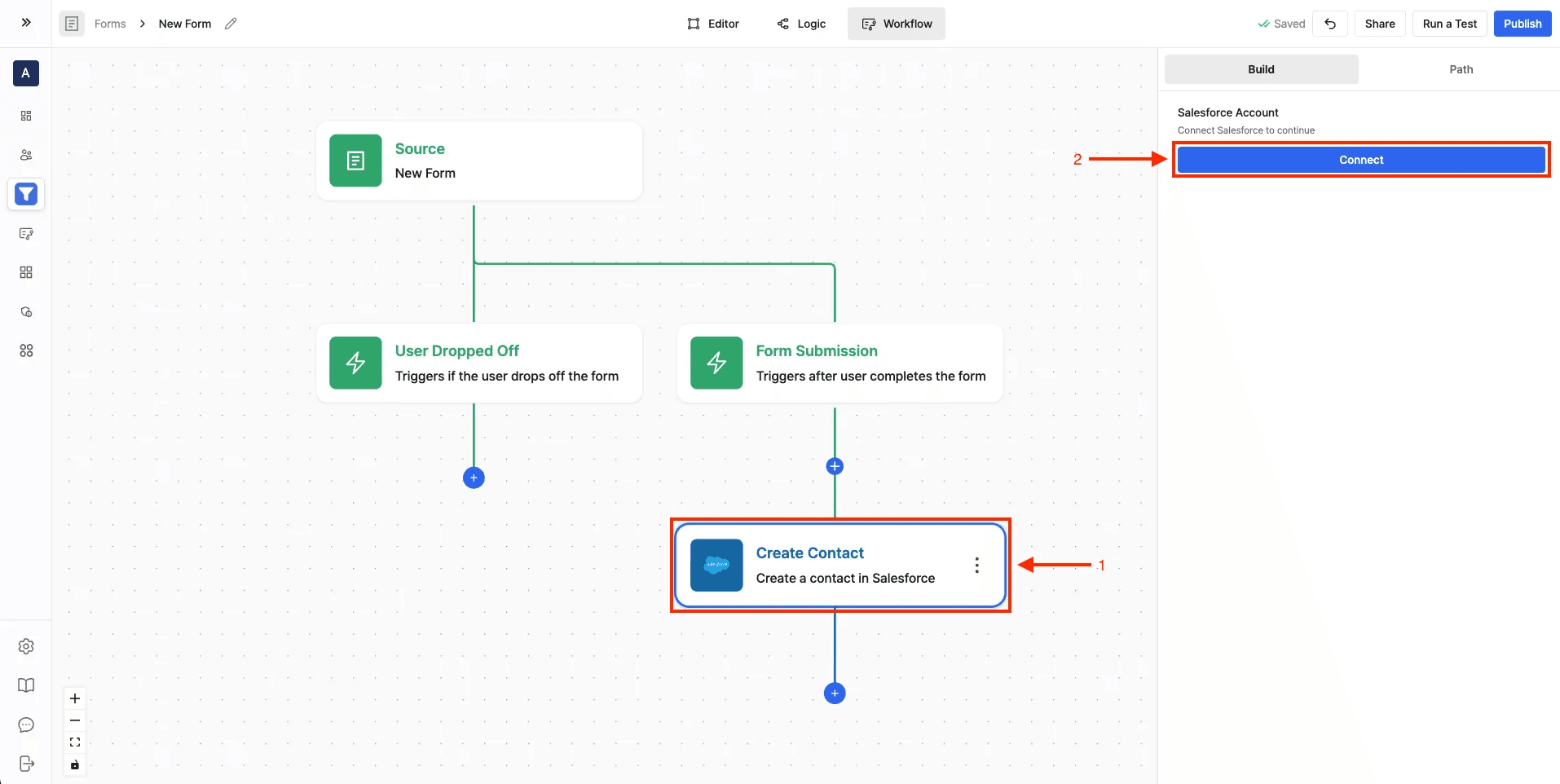
- Navigate to the Workflow Builder
- Add any Salesforce action and click Connect
- Log in to your Salesforce account when prompted
- Authorize Surface Forms to access your Salesforce data
Setting Up Workflows
- Go to Workflow Builder from the sidebar
- Click "Create workflow"
- Select source:
- Choose "Surface forms" as source
- Select your form
- Choose trigger type (Finished/In Progress/Dropped Off)
- Add Salesforce action:
-
Click "+ Actions"
-
Select "Salesforce" from the actions list
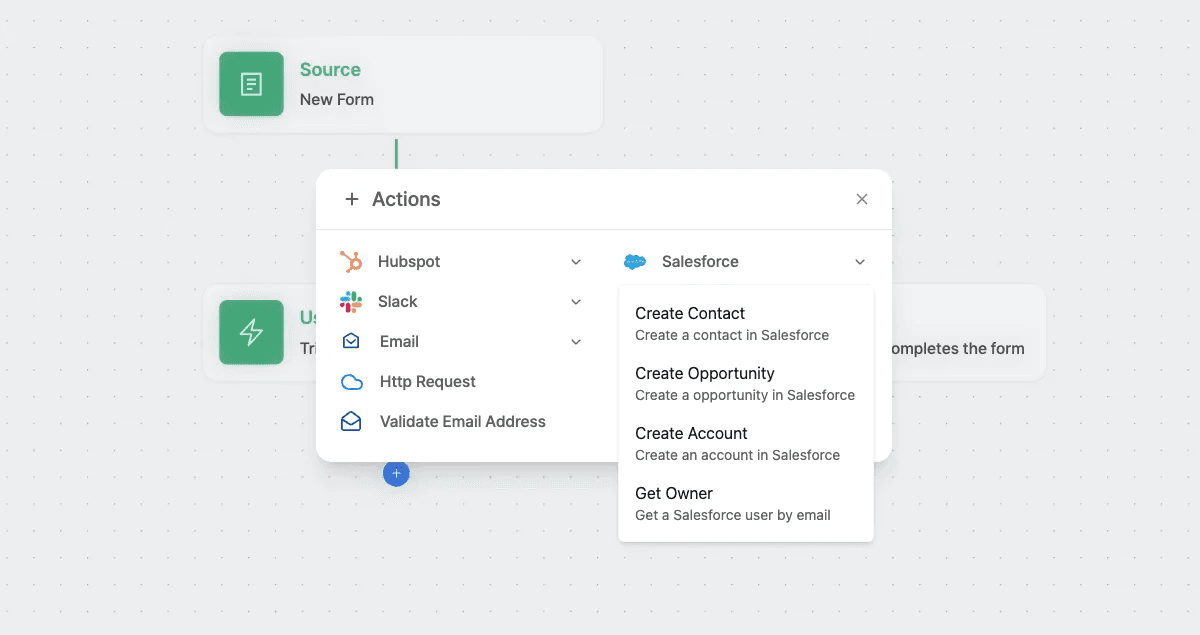
-
Available Actions
- Create Contact: Create a new contact in Salesforce from form submission data. Map form fields to Salesforce contact fields.
- Create Opportunity: Generate a new opportunity and associate it with contacts. Set opportunity details from form data.
- Create Account: Create a new account in Salesforce from form submission data.
- Get Owner: Retrieve a Salesforce user by email address.