
React.js
Email Input Field Trigger
Triggering via email input field submission
1. Add the HTML Form
Ensure your HTML form includes the surface-form-handler class. This class is essential for identifying the form as one that triggers the Surface Form popup. Example:
<form class="surface-form-handler">
  <input type="email" placeholder="Enter your email" required />
  <button type="submit">Submit</button>
</form>
Add the surface-form-handler class to any external form that you want to use to trigger the Surface Form popup.
2. Surface Form Constructor
Go to the public/index.html file in your React.js project and add the following code at the end of <body> tag:
Add the data-question-id attribute to your Surface form script.
You must replace the <question_id> within data-question-id attribute below with the question ID from the Surface Form Builder.
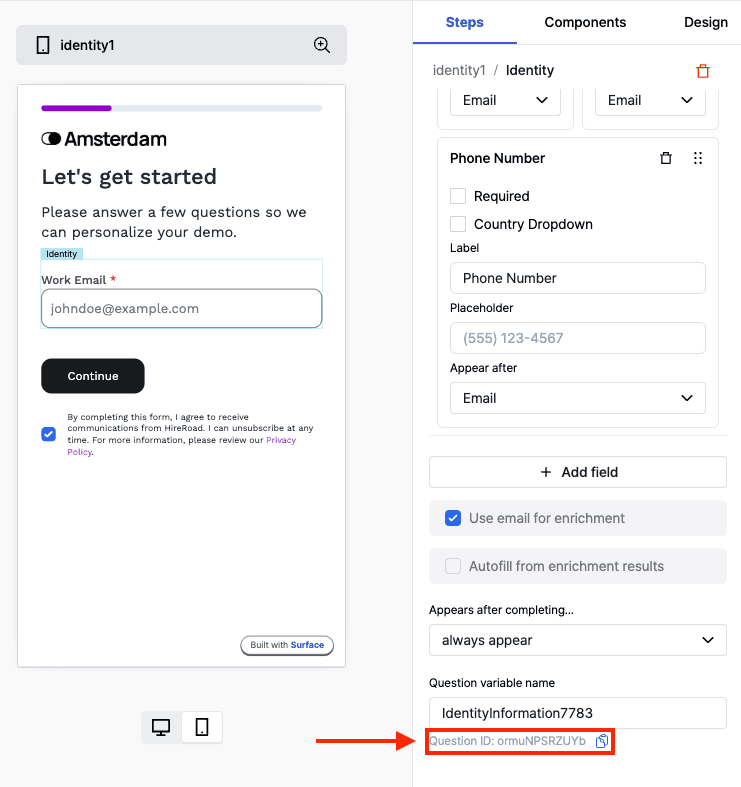
<!-- Start Surface Form Embed -->

<script data-question-id="<question_id>">
  (function () {
     const surface_src = "surface_form_url";
     const surface_embed_type = "slideover"; // works on all embedding types!
     const target_element_class = "surface-form-button";
     const c = new SurfaceEmbed(
       surface_src,
       surface_embed_type,
       target_element_class,
     );
   })();
</script>

<!-- End Surface Form Embed -->
Ready to Get Started?
See it on your own site, or open the app and build the first form.