
Webhooks & External Forms
Step 3.1: Create Multi-Step HTML Form
Create a multi-step HTML form
Create a custom multi-step form or use the starter template.
-
Clone the repository:
git clone -b demo https://github.com/trysurface/multi-step-progressive-form -
Open the project and review the
index.htmlfile.
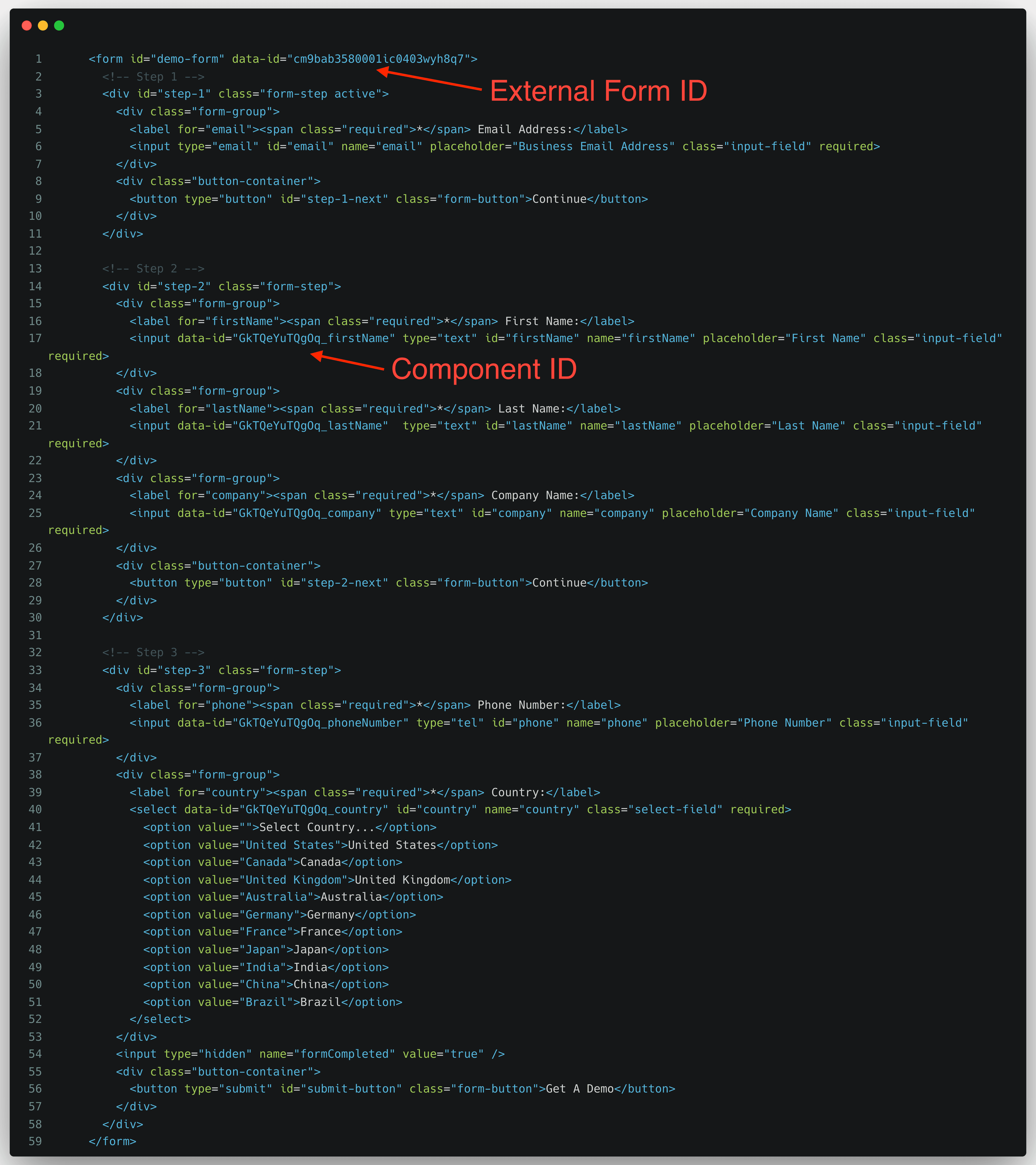
Add the form ID to the <form> tag
<form data-id="<Your_Form_ID>">
  <!-- Form steps here -->
</form>
Replace <Your_Form_ID> with the ID of the external form you created in Surface.
Ready to Get Started?
See it on your own site, or open the app and build the first form.